

Quick answer
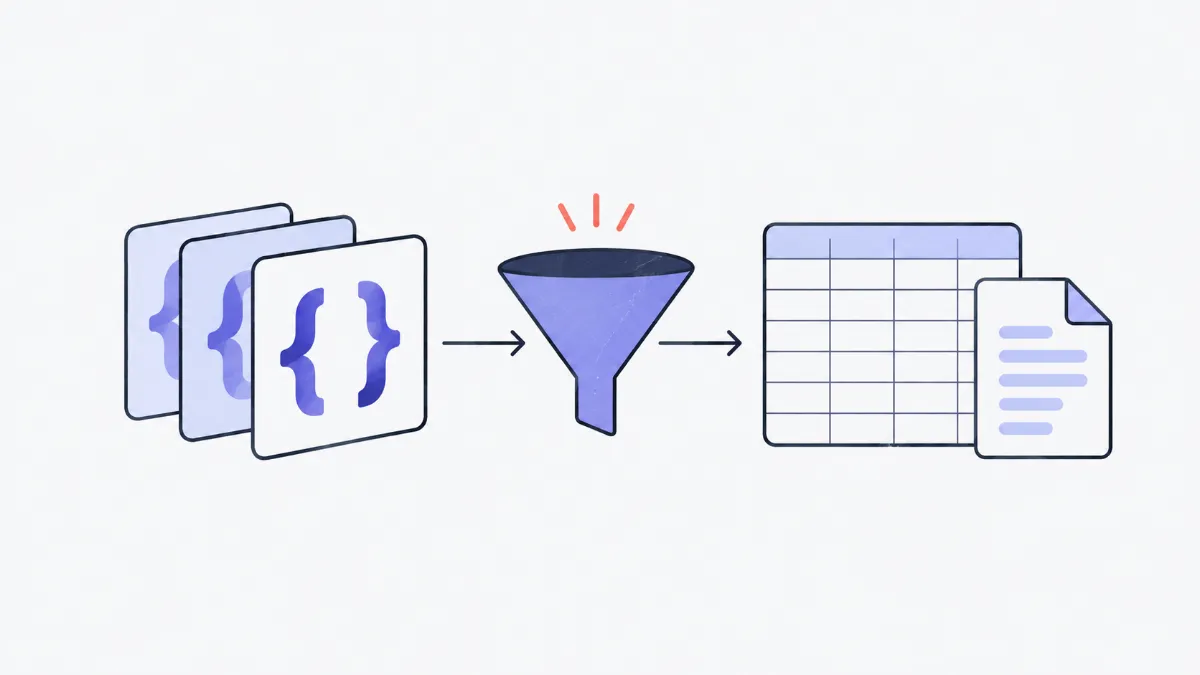
Paste JSON that is an array of objects, choose “JSON → CSV” and click Download: each object becomes a row, each key a column, and nested objects become columns like address.city. The CSV includes a UTF-8 BOM so Excel shows accented characters correctly. The tool also converts CSV back to JSON, JSON to and from YAML, and JSON to XML.
What do JSON, CSV, YAML and XML conversions do?
Five conversions on one page, all in your browser: JSON → CSV (flattens nested objects, guards against Excel formula injection, comma or semicolon), CSV → JSON (handles quoted cells with commas and line breaks, detects the delimiter, turns numbers and true / false into proper types), JSON ↔ YAML (handy for docker-compose, Kubernetes and GitHub Actions) and JSON → XML. Large inputs run in a Web Worker and nothing is uploaded.
How to convert
- 1
Pick a direction at the top, for example “JSON → CSV”. The input box starts with an example to try.
- 2
Paste your own data or click “Open file” to load a .json, .csv or .yaml file (up to 20 MB).
- 3
Adjust the options: delimiter, flattening, type conversion, XML root name. The output updates as you go.
- 4
Click Copy or Download. To go the other way, pick the reverse direction: the current output becomes the new input.
What each conversion does
| Direction | Input | Output | Notes |
|---|---|---|---|
| JSON → CSV | Array of objects (or one object) | One row per object, keys as columns | Nested objects become a.b columns, arrays a.0, a.1 |
| CSV → JSON | Header row + data rows | Array of objects | Dotted columns are rebuilt into nested objects |
| JSON → YAML | Any JSON | YAML indented by 2 spaces | Ambiguous strings (true, 007, containing :) are quoted |
| YAML → JSON | Everyday YAML 1.2 | Pretty JSON | Anchors &, aliases *, tags ! and multiple --- documents are not supported |
| JSON → XML | Any JSON | XML with a UTF-8 declaration | Arrays become repeated elements; invalid keys become valid element names |
Swipe sideways to see the whole table →
How nested JSON is flattened
| JSON | CSV column | Value |
|---|---|---|
| { "address": { "city": "Hanoi" } } | address.city | Hanoi |
| { "tags": ["vip", "new"] } | tags.0, tags.1 | vip, new |
| { "orders": [{ "id": "A1" }] } | orders.0.id | A1 |
| { "note": null } | note | (empty cell) |
Converting back with “Rebuild objects” turns tags.0 and tags.1 into the tags array again.
Real-world examples
Hand API data to the finance team in Excel
Fetch the orders endpoint, paste the JSON, pick a semicolon if your Excel uses a European locale, download the CSV and open it straight in Excel: names with accents display correctly and every field has its own column.
Bring a Google Sheet into your code
Download the sheet as CSV and use CSV → JSON: you get an array of objects ready for JavaScript, and phone numbers such as 0912… stay strings so the leading zero survives.
Rework a docker-compose file
Paste docker-compose.yml into YAML → JSON to inspect the structure or edit it with code, then convert back with JSON → YAML; values like "80:80" stay properly quoted.
Feed a system that only accepts XML
Some payment gateways and older e-invoicing systems only take XML. Convert your JSON, set the root element name they expect, then add attributes if needed.
Common problems and fixes
- Excel puts everything in one column.
- Excel set to many European locales expects semicolons. Choose “Semicolon ;” and download again, or use Data → From Text/CSV in Excel and pick the comma.
- Accented characters look garbled in Excel.
- Open the file from the Download button (it has a UTF-8 BOM). If you paste the text into another file, save it as “UTF-8 with BOM”.
- Phone numbers or postcodes lose their leading zero.
- CSV → JSON keeps numbers that start with 0 as strings. In Excel, format the column as Text before pasting.
- A cell starting with = turns into a formula.
- Keep “Guard against Excel formula injection” on: cells starting with = + - @ get a leading ' so Excel shows the text instead of running it (a known CSV injection attack).
- YAML fails on a line with a tab.
- YAML only allows spaces for indentation. Replace tabs with two spaces.
- YAML with &anchors and *aliases is rejected.
- The reader covers everyday YAML. For files that rely on anchors (common in GitLab CI), expand them manually or use a command-line tool such as yq.
Which CSV rules are followed
The tool follows RFC 4180: a cell containing the delimiter, a line break or a quote is wrapped in double quotes, and a quote inside is written as "". So an address like “12 Le Loi, District 1” is not split into two columns.
When reading CSV, the delimiter is detected from the first line (comma, semicolon, tab or pipe). Empty cells become null, true / false become booleans and numbers become numbers; numbers with a leading zero or more than 15 digits stay strings so nothing is lost.
Limits of the YAML reader
The YAML reader is purpose-built for this tool and covers the YAML 1.2 features used in configuration files: mappings, sequences (including lists of objects), single and double-quoted strings, | and > block scalars, flow collections such as [a, b] and {a: 1}, and # comments.
- Anchors (&), aliases (*), merge keys (<<), tags (!!str) and multi-document files separated by --- are not supported.
- Following YAML 1.2, yes / no / on / off are strings, not booleans (unlike old YAML 1.1).
- When writing YAML, ambiguous strings ("true", "007", "a: b") are always quoted.
Glossary
- JSON
- A data format of key–value pairs and arrays, the most common format for web APIs.
- CSV
- Tabular data as text: one record per line, cells separated by a delimiter.
- YAML
- A readable configuration format that uses indentation instead of brackets.
- XML
- A tag-based data format still common in enterprise systems and e-invoicing.
- Flatten
- Turn nested objects into single-level keys such as a.b.c so they fit a table.
- BOM
- Three bytes at the start of a UTF-8 file that help Excel detect the encoding.
Frequently asked questions
Is my data sent anywhere?
No. Every conversion runs in your browser (large inputs in a Web Worker); nothing is uploaded.
How big can a file be?
Up to 20 MB per file. Inputs of 200,000 characters or more are processed in a Web Worker so the page stays responsive.
Why do some CSV cells start with '?
That is the formula-injection guard: cells starting with = + - @ get a ' so Excel will not run them as formulas. Turn it off if the data is not going into a spreadsheet.
What JSON shape gives the best CSV?
An array of objects with the same keys. Keys missing from a record become empty cells; a single object produces one row.
Can it convert XML to JSON?
Not yet: only JSON → XML. XML mixes attributes and text, so there is no single correct way to map it to JSON.
Can it read .xlsx files?
Save the spreadsheet as “CSV UTF-8” (File → Save As) and use CSV → JSON.
Ratings and comments
Loading…