

Quick answer
Enter an IP with a prefix, for example 192.168.10.77/26, to get network 192.168.10.64, broadcast 192.168.10.127, hosts .65–.126 (62 usable) and mask 255.255.255.192. A /n subnet has 2^(32 − n) addresses; minus network and broadcast leaves 2^(32 − n) − 2 hosts.
What is a subnet?
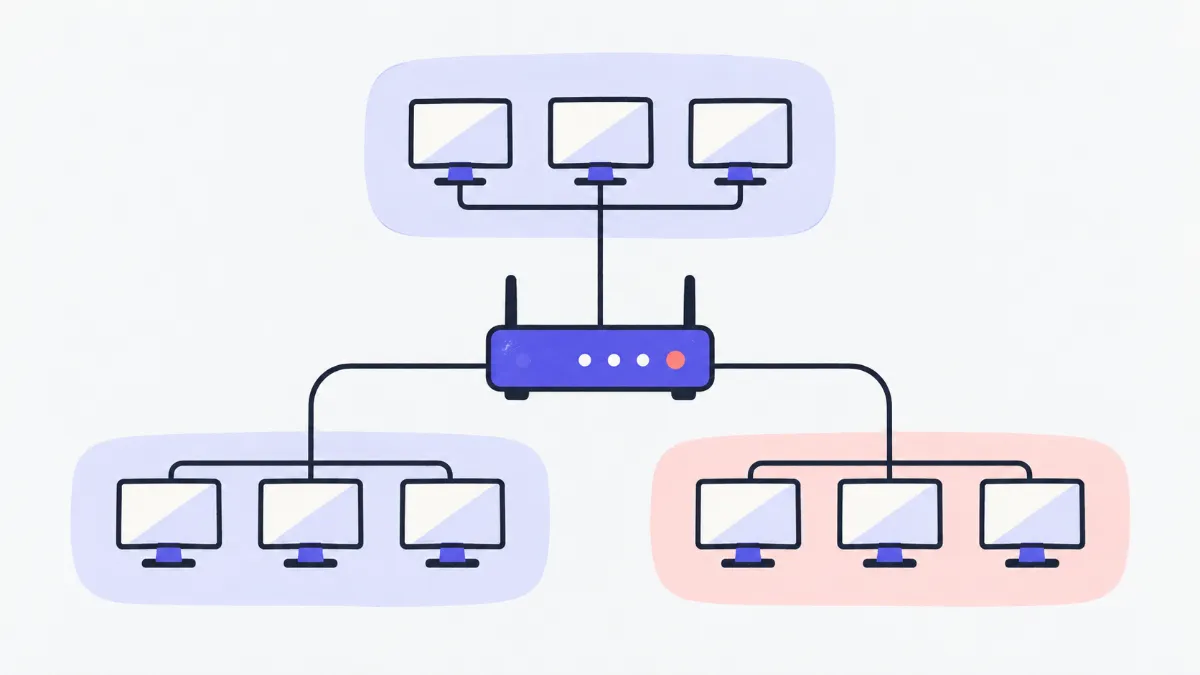
This IPv4 subnet calculator helps network engineers, technicians and students work out the network address, broadcast, host range, wildcard mask and binary view from a CIDR address or an IP plus subnet mask. The subnetting section finds the right prefix for the number of subnets or hosts you need and lists every subnet, ready to copy into your network plan.
How to calculate a subnet
- 1
Type the address in “IP address / CIDR”: 192.168.10.77/26, or “10.0.0.5 255.255.255.0” in one box.
- 2
If the mask is separate, enter the IP on the left and the mask (255.255.255.192, /26 or 26) in “Subnet mask or prefix”.
- 3
Read the results; the copy icon next to each row copies that value. The binary view highlights the network bits.
- 4
To split the network, open “Subnetting”, choose “Number of subnets” or “Hosts per subnet”, enter a number and click “Copy table”.
Common CIDR prefixes
| Prefix | Subnet mask | Total addresses | Usable hosts |
|---|---|---|---|
| /8 | 255.0.0.0 | 16,777,216 | 16,777,214 |
| /16 | 255.255.0.0 | 65,536 | 65,534 |
| /20 | 255.255.240.0 | 4,096 | 4,094 |
| /22 | 255.255.252.0 | 1,024 | 1,022 |
| /23 | 255.255.254.0 | 512 | 510 |
| /24 | 255.255.255.0 | 256 | 254 |
| /25 | 255.255.255.128 | 128 | 126 |
| /26 | 255.255.255.192 | 64 | 62 |
| /27 | 255.255.255.224 | 32 | 30 |
| /28 | 255.255.255.240 | 16 | 14 |
| /29 | 255.255.255.248 | 8 | 6 |
| /30 | 255.255.255.252 | 4 | 2 |
| /31 | 255.255.255.254 | 2 | 2 (point-to-point, RFC 3021) |
| /32 | 255.255.255.255 | 1 | 1 (single host) |
Swipe sideways to see the whole table →
Special ranges the tool recognises
| Range | Type | Notes |
|---|---|---|
| 10.0.0.0/8 | Private (RFC 1918) | Large internal networks |
| 172.16.0.0/12 | Private (RFC 1918) | 172.16.0.0 – 172.31.255.255 |
| 192.168.0.0/16 | Private (RFC 1918) | Home and small-office networks |
| 100.64.0.0/10 | CGNAT (RFC 6598) | Used by ISPs that share public IPs |
| 127.0.0.0/8 | Loopback | The machine itself (127.0.0.1) |
| 169.254.0.0/16 | Link-local | Self-assigned when DHCP is unavailable |
| 192.0.2.0/24, 198.51.100.0/24, 203.0.113.0/24 | Documentation (RFC 5737) | For examples only, never routed |
| 224.0.0.0/4 | Multicast | Sent to a group of hosts |
| 240.0.0.0/4 | Reserved | Not for ordinary hosts |
Everything else (apart from a few small reserved blocks) is treated as public address space.
Examples
Home network 192.168.1.0/24
Mask 255.255.255.0, broadcast 192.168.1.255, host range 192.168.1.1 – 192.168.1.254: 254 usable devices.
Departments needing 50 hosts each
From 192.168.5.0/24, subnetting by 50 hosts gives /26 (62 hosts per subnet) and 4 subnets: .0, .64, .128 and .192.
Splitting 10.10.0.0/22 for 4 branches
Subnetting by 4 subnets gives /24: 10.10.0.0, 10.10.1.0, 10.10.2.0 and 10.10.3.0, each with 254 hosts.
Link between two routers
The classic choice is /30 (2 hosts). Devices that support RFC 3021 can use /31 to save addresses, with both addresses assignable.
Common mistakes
- “Non-contiguous mask”, e.g. 255.0.255.0.
- A valid mask is a run of 1 bits followed by 0 bits (255.255.255.0 = /24). Recheck the mask or use /prefix notation.
- Errors with 01.2.3.4 or 192.168.001.1.
- Leading zeros are read as octal by some systems (010 = 8). Write 1.2.3.4 or 192.168.1.1.
- Octet out of range (such as 256.1.1.1).
- Each part of an IPv4 address is 0 to 255.
- Missing mask or prefix.
- A bare IP is not enough to work out a network. Add /24 or enter the mask on the right.
- Asking for 2 hosts gives /30, not /31.
- Host-based subnetting uses the classic 2ⁿ − 2 rule. If your devices support RFC 3021, you can use /31 for point-to-point links.
- The subnet table stops at 256 rows.
- To keep the page fast, the first 256 subnets are listed; the summary line still shows the true total.
Glossary
- CIDR
- Writing a network as an IP plus the number of network bits, e.g. 192.168.1.0/24.
- Subnet mask
- A 32-bit value showing which bits of the IP are network (1) and which are host (0).
- Wildcard mask
- The inverse of the subnet mask (255.255.255.0 → 0.0.0.255), used in ACLs and OSPF on Cisco devices.
- Network address
- The first address of a subnet, with all host bits 0; not assigned to a host.
- Broadcast
- The last address of a subnet, with all host bits 1; reaches every host on the network.
- Octet
- Each 8-bit part of an IPv4 address, from 0 to 255.
Frequently asked questions
Why subtract 2 from the host count?
The first address is the network address and the last is the broadcast; neither can be assigned to a host. A /24 has 256 addresses but 254 hosts.
When are /31 and /32 used?
/31 has 2 addresses for point-to-point links under RFC 3021 (both are hosts). /32 is a single address, often a router loopback or a host route.
Are classes A, B and C still used?
Classful addressing predates CIDR (1993). The class is shown for reference when learning, but real networks use any prefix.
Does it support IPv6?
Not yet. Only IPv4 is supported for now.
How do I find the network address by hand?
AND the IP with the mask bit by bit. For 192.168.10.77/26 the last octet 77 = 01001101 and the mask 192 = 11000000, giving 01000000 = 64, so the network is 192.168.10.64.
Is anything I enter stored?
No. Every calculation runs in your browser and nothing is sent.
Ratings and comments
Loading…