

Quick answer
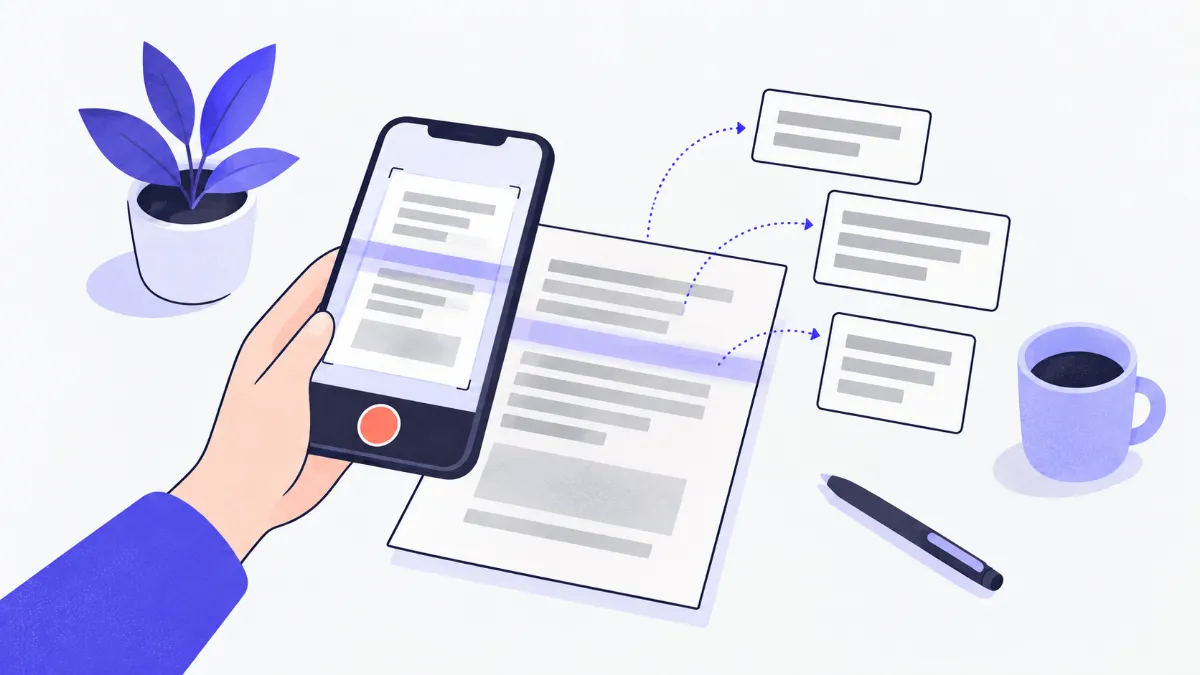
To turn an image into text, choose, drop or paste (Ctrl+V) an image containing text, pick the language (Vietnamese, English or both) and press “Extract text”. A few seconds later the text appears in a box where you can edit it, copy it or save it as a .txt file. Recognition runs in your browser with Tesseract; the image is never uploaded.
What is image to text (OCR)?
OCR (optical character recognition) reads the printed text in a picture and turns it into text you can edit. Snap a book page, a receipt or a notice, or take a screenshot of a message, and the tool pulls the text out so you can paste it into Word, email or a spreadsheet instead of retyping it. It recognizes English, and Vietnamese with all its diacritics.
How to extract text from an image
- 1
Press “Choose file”, drop an image onto the box, or take a screenshot and press Ctrl+V (⌘+V on a Mac) on the page.
- 2
Pick the language in the image: Vietnamese, English, or “Both” for mixed text.
- 3
Press “Extract text”. The first time, the browser downloads the OCR engine (about 1.5 MB) plus the language data; later runs are faster.
- 4
Read the result in the text box and fix any misread words right there.
- 5
Press “Copy text” to paste it elsewhere, or “Download .txt” to save it.
Which images work well, and which are hard?
| Image type | Typical result | Tip |
|---|---|---|
| Screenshots, PDF pages exported as images | Excellent | Use them as they are |
| Book pages or printouts shot straight on, well lit | Good | Shoot square to the page and crop out the desk |
| Thermal-paper receipts | Fair | Shoot close, avoid hand shadows; brighten faded paper first |
| Text over busy photos, stylized signs | Often wrong | Crop tightly around the text with Crop Image |
| Handwriting | Usually unreadable | This OCR is built for printed text |
Which language should I pick?
| Your image | Pick | Why |
|---|---|---|
| Vietnamese text | Vietnamese | Gets tone marks and letters such as ư, ơ and đ right |
| English text | English | The English model makes fewer letter mix-ups |
| Mixed languages (menus, technical documents) | Both | Slightly slower and downloads both language files |
Real-world examples
Text from a chat screenshot
Take a screenshot, press Ctrl+V on the page and “Extract text”: the message becomes text you can paste into an email or a note.
Retyping a printed page
Photograph the page straight and well lit, choose the right language, then proofread a few spots and paste into Word.
Numbers from a receipt
Crop the photo to the totals first (Crop Image), then extract: item names and amounts come out line by line, ready for a spreadsheet.
Text from a scanned PDF
Use PDF to JPG / PNG at 300 DPI for the pages you need, then bring the images here.
Common problems and fixes
- Accents are wrong or missing in Vietnamese text.
- Make sure “Vietnamese” is selected. Small or blurry images should be retaken closer; the tool enlarges small images but cannot replace a sharp photo.
- It says no text was found.
- The image may be handwritten, the text too small, or heavily tilted. Retake it straight and crop close to the text.
- Lines come out in the wrong order on multi-column pages.
- OCR reads in blocks; for newspapers and flyers with columns, crop each column into its own image and extract them one by one.
- An iPhone HEIC photo will not open.
- Convert it with HEIC to JPG first, then use the JPG here.
- The first run takes a while.
- The browser has to download the OCR engine (about 1.5 MB) and the language data. The language data is stored, so later runs are faster.
How the recognition works
The tool uses Tesseract, an open-source OCR engine developed for decades (backed first by HP, later by Google), running in the browser through tesseract.js. Recognition uses the Tesseract project's “fast” LSTM neural-network models for Vietnamese and English.
The engine and language data are served from this website, and your image is processed only in your browser. Before recognition, the image is placed on a white background (so transparent PNGs read correctly), small images are enlarged and very large ones are scaled down to fit in memory.
Tips for more accurate text
Image quality decides most of the result. A few small steps before extracting cut down the corrections you need to make:
- Shoot square to the page, in good light, with no shadows from your hand or phone.
- Crop tightly around the text you need, removing pictures and the desk edge (Crop Image).
- Straighten tilted images with Rotate Image.
- Screenshots give the best results because the text is sharp and the background is even.
Glossary
- OCR
- Optical Character Recognition: turning the text in an image into editable text.
- Tesseract
- An open-source OCR engine that supports more than 100 languages, including Vietnamese.
- Confidence
- The average score (0–100%) the engine gives its own result; a low score means you should proofread carefully.
- Unicode NFC
- Storing accented letters as single characters (for example “ệ”) so search and pasting into Word behave correctly.
Frequently asked questions
Is my image uploaded to a server?
No. Recognition runs in your browser; the website only sends your browser the OCR engine and language data.
Can it read Vietnamese with diacritics?
Yes. Choose “Vietnamese” so the Vietnamese model is used; it recognizes tone marks and letters such as ă, â, ê, ô, ơ, ư and đ.
Can it read handwriting?
Usually not. Tesseract is trained on printed text; neat handwriting is sometimes partly read, but it is not reliable.
Can I get text out of a PDF?
If the PDF has selectable text, copy it directly. For a scanned PDF, convert the pages with PDF to JPG / PNG, then extract the text from the images here.
Why is the first run slower?
The first time, the browser downloads the OCR engine (about 1.5 MB) and language data (0.4 MB for Vietnamese, 1.9 MB for English). The language data is stored in your browser for next time.
Is there an image size limit?
Up to 20 MB, one image at a time. Very large images are scaled down automatically to fit in memory without hurting accuracy.
Ratings and comments
Loading…