

Contents
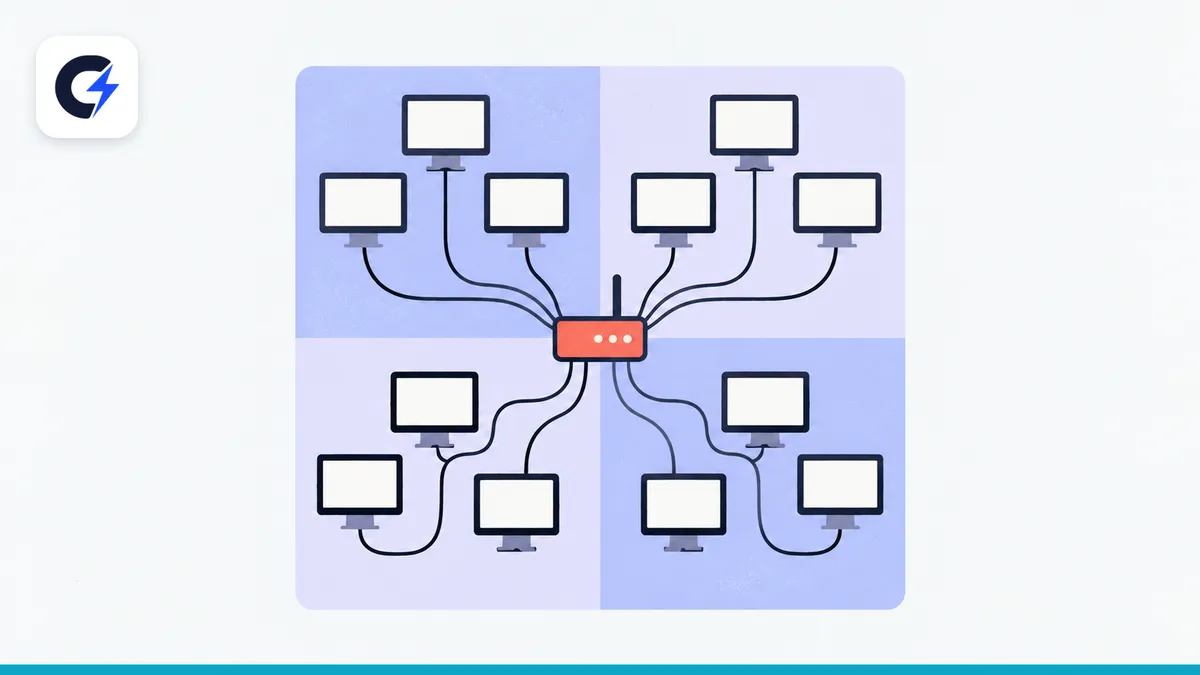
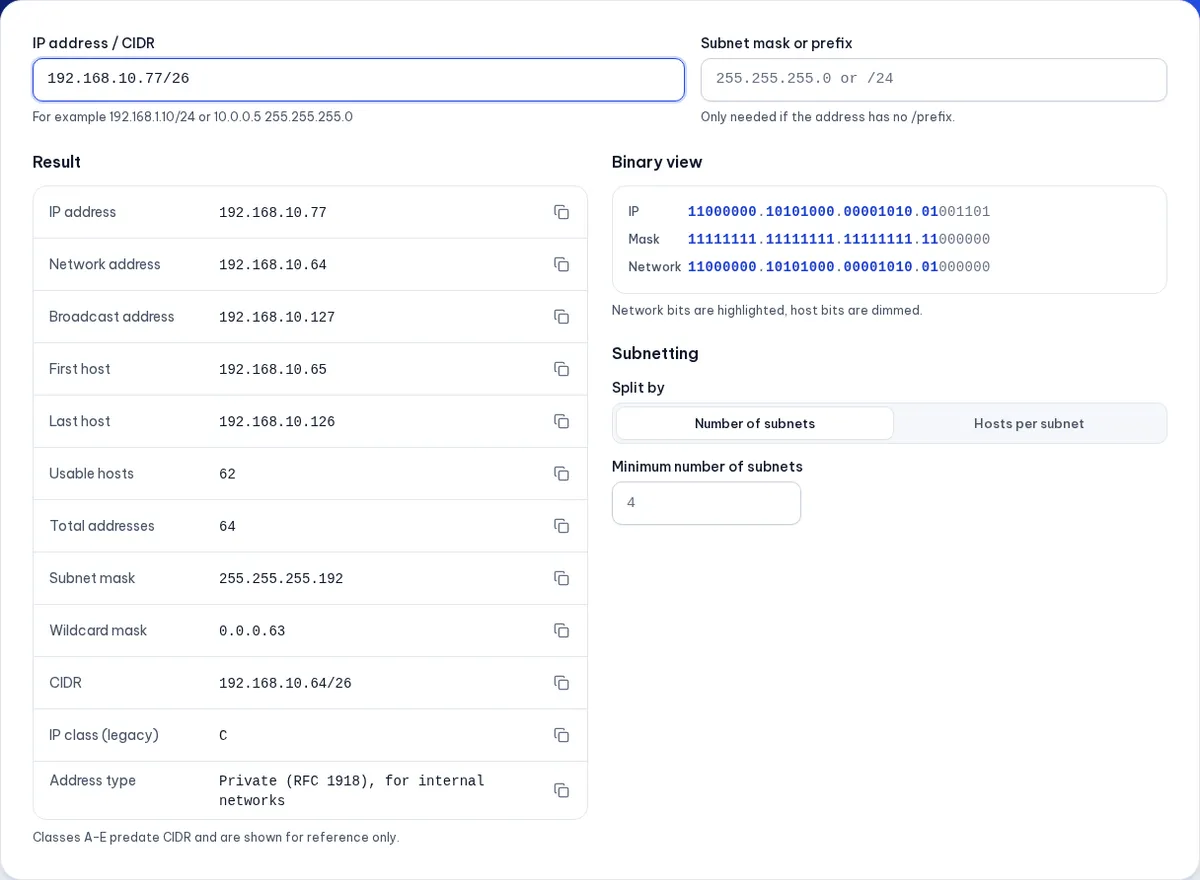
A subnet is a slice of an IP network defined by a subnet mask, used to split one large address range into smaller networks that are easier to manage and secure. A subnet with prefix /n contains 2^(32 − n) addresses; take away the network and broadcast addresses and 2^(32 − n) − 2 are left for devices. For example, 192.168.10.77/26 belongs to network 192.168.10.64, its broadcast is 192.168.10.127 and the 62 usable hosts run from .65 to .126.
Key takeaways
- An IPv4 address is 32 bits, written as four numbers from 0 to 255, such as
192.168.1.10. - The CIDR prefix
/nsays the first n bits are the network part; the rest is the host part. - A subnet mask is another way to write the prefix:
/24=255.255.255.0,/26=255.255.255.192. - The first address of a subnet is the network address and the last is the broadcast; neither is assigned to a device.
- Each extra prefix bit halves the size:
/24has 256 addresses,/25128,/2664.
IP addresses, masks and prefixes
Think of an IP address like a street address: the network part is the street name and the host part is the house number. Devices on the same street (the same subnet) talk to each other directly; to reach another street, traffic goes through a router.
The subnet mask says how many leading bits belong to the network. Written in binary, a mask is a run of 1s followed by 0s:
255.255.255.0=11111111.11111111.11111111.00000000→ 24 network bits → /24.255.255.255.192=11111111.11111111.11111111.11000000→ 26 network bits → /26.
So 192.168.10.77/26 and 192.168.10.77 with mask 255.255.255.192 mean exactly the same thing.
Common IPv4 subnets
| Prefix | Subnet mask | Addresses | Usable hosts |
|---|---|---|---|
| /24 | 255.255.255.0 | 256 | 254 |
| /25 | 255.255.255.128 | 128 | 126 |
| /26 | 255.255.255.192 | 64 | 62 |
| /27 | 255.255.255.224 | 32 | 30 |
| /28 | 255.255.255.240 | 16 | 14 |
| /29 | 255.255.255.248 | 8 | 6 |
| /30 | 255.255.255.252 | 4 | 2 |
| /31 | 255.255.255.254 | 2 | 2 (point-to-point link) |
| /32 | 255.255.255.255 | 1 | 1 (a single host) |
For /31, RFC 3021 allows both addresses on a link between two routers; /32 usually identifies one exact address, for example in an allow list.
Working out a subnet by hand
Take 192.168.10.77/26.
Step 1: find the block size
A /26 prefix ends in the fourth octet (bits 25 to 32). The mask's fourth octet is 192, so the block size is 256 − 192 = 64. Subnets start at .0, .64, .128 and .192.
Step 2: find which block the address is in
77 lies between 64 and 128, so the address belongs to the block starting at .64.
Step 3: read off the details
- Network address:
192.168.10.64. - Broadcast address:
192.168.10.127(the next block starts at .128, minus one). - Usable host range:
192.168.10.65to192.168.10.126, 62 hosts in total. - Wildcard mask (common in ACLs):
0.0.0.63.
You can check the result in the IPv4 subnet calculator, which also shows the binary view so you can see why the maths works.
Example: splitting a /24 into four subnets
An office has 192.168.10.0/24 and wants a separate network for each of four departments. Four subnets need two extra bits (2² = 4), so the prefix becomes /26:
| Department | Subnet | Usable hosts | Broadcast |
|---|---|---|---|
| Accounting | 192.168.10.0/26 | .1 – .62 | 192.168.10.63 |
| Sales | 192.168.10.64/26 | .65 – .126 | 192.168.10.127 |
| Engineering | 192.168.10.128/26 | .129 – .190 | 192.168.10.191 |
| Guest Wi-Fi | 192.168.10.192/26 | .193 – .254 | 192.168.10.255 |
Each department can have up to 62 devices. Putting guests on their own subnet means visitors on the Wi-Fi cannot see the office computers and printers.
Sizing subnets by need (VLSM)
Departments rarely need the same number of addresses. Variable-length subnet masking (VLSM) gives each network the size it needs, starting with the largest. With the same 192.168.10.0/24 and three networks for 100, 50 and 20 devices:
- 100 devices → needs at least 102 addresses → /25 (126 hosts):
192.168.10.0/25. - 50 devices → /26 (62 hosts):
192.168.10.128/26. - 20 devices → /27 (30 hosts):
192.168.10.192/27. 192.168.10.224/27is left free for later.
To see where an address range starts and ends, or to turn an arbitrary IP range into a list of CIDR blocks, use the IP range to CIDR tool.
Private ranges for internal networks
| Range | CIDR | Typical use |
|---|---|---|
| 10.0.0.0 – 10.255.255.255 | 10.0.0.0/8 | Large companies, data centres |
| 172.16.0.0 – 172.31.255.255 | 172.16.0.0/12 | Docker networks, test environments |
| 192.168.0.0 – 192.168.255.255 | 192.168.0.0/16 | Home and small-office networks |
These three ranges are defined in RFC 1918 and are not routed on the public internet.
Common subnetting mistakes
- Assigning the network or broadcast address to a device. Giving
192.168.10.64to a host in the /26 above breaks connectivity. - Overlapping subnets.
192.168.10.0/25and192.168.10.64/26overlap, so routers will send traffic to the wrong place. - No room to grow. A subnet that fits today's devices exactly forces a renumbering as soon as you add more.
- Typing an invalid mask.
255.255.255.129is not a valid mask;255.255.255.128is. A valid mask is always an unbroken run of 1 bits.
IPv6 follows the same idea with much longer prefixes (typically /48, /56 and /64); see the IPv6 subnet calculator.
Which subnet is your home network on?
Most home routers hand out addresses like 192.168.1.x or 192.168.0.x with mask 255.255.255.0, a /24 with 254 usable addresses. To check:
- Windows: open Command Prompt, type
ipconfigand look at IPv4 Address and Subnet Mask. - macOS: System Settings → Network → your connection → Details.
- Phone: open the Wi-Fi settings and tap the network you are connected to.
That is your private address inside the home. Websites see the public address your provider assigns to the router. To practise the maths, the IP address converter shows any address in binary, hex and integer form.
Frequently asked questions
How many IP addresses are in a /24?
256 addresses, of which 254 can be assigned to devices (the network and broadcast addresses are excluded).
Which subnet should I use for 30 devices?
A /27, which has 32 addresses and exactly 30 usable hosts. If you expect more devices, a /26 gives you room to grow.
What prefix is the mask 255.255.255.0?
/24, because it has 24 consecutive 1 bits (8 + 8 + 8).
Why split a network instead of using one big one?
Smaller networks cut broadcast traffic, make faults easier to isolate and let you put firewall rules between groups, such as blocking the guest network from internal servers.
Do I need to memorise the subnet table?
No. Remember how to get the block size (256 minus the mask value in the octet you are splitting) and that each extra prefix bit halves the size; the rest you can check with a calculator.
Free tools used in this article
- IPv4 Subnet Calculator →Network and broadcast address, host range, subnet mask and subnetting.
- IP Range to CIDR →Turn IP ranges into CIDR blocks, merge lists and check which block an IP is in.
- IPv6 Subnet Calculator →IPv6 range, address count, address type and subnetting into /48, /56, /64.
- IP Address Converter →Convert IPs to integer, hex, binary, octal, IPv4-mapped IPv6 and back.
#subnetting#ipv4#cidr#subnet mask#networking